Horizontal Logo
Logo Variations
Primary Version
Horizontal Logo

Secondary Version
Vertical Logo

Secondary Version
Tertiary Horinzontal Logo

Primary Version
Horizontal Logo

Download the UM6P logo
Logo Type
What’s the difference between horizontal & vertical Logo?
Use the horizontal logo when there is enough width and when the full university name needs to be visible
— ideal for formal documents, websites, and presentations.
Use the vertical (stacked) logo when space is limited or when a more compact format is needed, such as on square layouts, social media profiles, or promotional materials where the full name has already been shown.


Horizontal Placement
Can the UM6P logo be placed anywhere without restrictions?
No, the UM6P logo cannot be placed anywhere without restrictions. It must always be aligned to the top left or bottom left, surrounded by clear space, and not placed on busy or cluttered backgrounds. These rules ensure the logo remains visible, professional, and consistent across all uses.
How to make sure the Logo is clear and appealing?
Respect the Protection Zone
Protection Zone
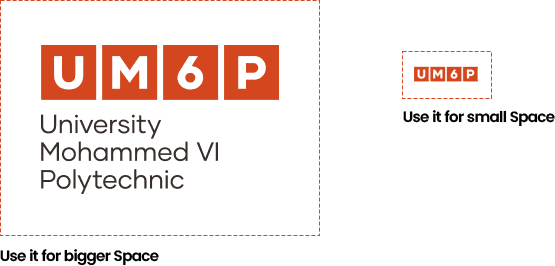
The defined safe area around the identity should always be free of text, images or any other graphic elements. A margin of ‘75% block’ surrounds the logotype.
How do I use the logo on different background colors?

Dual Color on Light Backgrounds
Orange on light

Dual Color on Suitable Imagery
Orange on simple image

Dual Color on Suitable Imagery
Orange on dark Images

Mono on Suitable Imagery
White Logo on Orange
Mono on UM6P Dark Orange
White Logo on Orange
Mono on UM6P Light Orange
Dark Grey on Orange

Mono on UM6P Black
White On Dark
Mono on Light Backgrounds